Getting The Video's Ready


Looking through all of the shots that we had, I have some bloopers, deleted scenes and Cast cuts that I could use in my website. I am going to have a Cast & Crew outtakes instead of extended scenes. I don't think that I will use all of them, but I have spares just in case and I have to join some of the shots together. I have to edit these shots so that they visually look better. This is my list.


Put together
- Deleted + Deleted1

What I need from my film

- Deleted Scenes

- Extended Scenes
- Bloopers
- Images
- Poster Images
- Portrait Photos of Aimee and Jade Separately
- Picture of Aimee and Jade Together, preferably landscape

Cast & Crew

When I looked at the Abduction Cast & Crew page, the information wasn't actually about the characters, but about the actors and actresses life. The same was when I looked at the Footloose website. Instead of using the words Cast & Crew, like the websites do, perhaps I should use the term 'Character Profile's instead.

Dear Diary...

Dear Diary.

It’s Jade here again. Mum told me to write down what I’m thinking when something is wrong. So that’s just what I am doing. My main problem is that I don’t know what’s real and what’s fake! I’m beginning to think I’m insane… but then as the days go on, these feelings go away and I start to feel real again…


I Got this idea from the Dear John website. I thought it was different, and since I am not going to do my photo album idea, this is sort of like a constillation prize with the diary entries I was talking about.

Synopsis Draft

Looking at a few movie synopsis' from Abduction, Footloose and others, I have drafted up my synopsis for my website.


Jade (Kuzovin) is a schizophrenic teenager who, when going through some of her old belongings, digs up her old photo album. Flicking through the pages, Jade faces the difficult task of remembering what is reality, and what is made up in her mind. Various photos open up new memories and thoughts. Jade is almost always joined to the hip with her only friend, Aimee (Peart). But nothing is what it seems - Aimee is coming in and out of her memories as if she wasn't there. Flicking to shots where she is laughing with Aimee, to shots of her playing by herself. Is Aimee a ghost, a figure of imagination, or just an old memory that she cant remember?

Poster Help


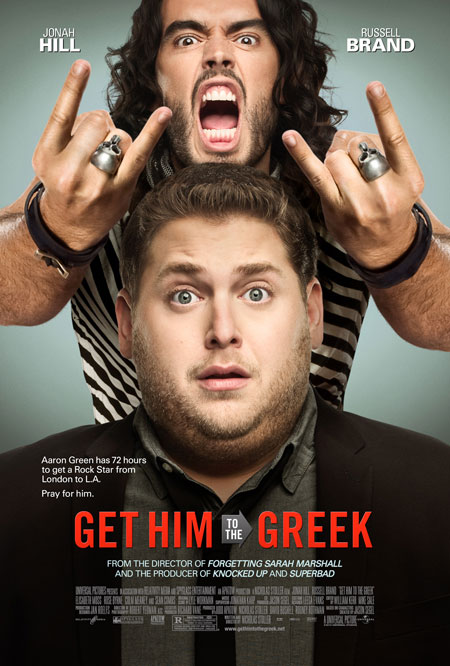
To help me get some information that goes onto a real movie poster, I used the one bellow. I looked at the fine print down the bottom that told be what information to include, the wordings the used, how the set it up etc. I tried to mimic it a bit, and made up some of the information. This is what I came up with:

AHSILA PICTURES PRESENTS IN ASSOCIATION WITH THE BLACK BOOK COMPANY A ELLECHER

PRODUCTION A ALISHA SEETO FILM STARING ANNIE KUZOVIN LIZZIE PEART HARTLEE BONSON

“UNFORGETTABLE” EDITED BY ALISHA SEETO BY PRODUCED BY ASEETO ©


Links

Splash Screen

  • link to the Home Page


Home Page

  • Link to the Synopsis
  • Link to the Gallery
  • Link to the Videos
  • Link to the Cast & Crew
  • Link to the Home Page (which will reload the movie)
  • Film in the center of the page


Synopsis Page

  • Link to Home
  • Picture of the photo album on the desk, scattered among other items
  • Synopsis outline
  • Link by Back Button


Gallery Page

  • Link to Home
  • Scrolling buttons down the bottom like a film strip. The enlarged one on the strip then blows up for the main part of the page
  • Link By Back Button


Video Homepage

  • Link to Home
  • Link by Back Button
  • Deleted Scenes Link
  • Extended Scenes Link
  • Bloopers Link
  • Picture to take up right half of the page


Blooper/Deleted Scenes/Extended Scenes Page

  • Link to Home
  • Link by Back Button
  • Name of the scene
  • Link back to Video Homepage
  • Picture to take up right half of page


Individual Blooper/Deleted Scenes/Extended Scenes Page

  • Link Back to Home
  • Link Back to Videos
  • Link by Back Button
  • Title of the scene
  • Scene to be in the center of the page, taking up the whole page (play as you open the page automatically)


Cast & Crew Homepage

  • Link back to Home
  • Link to Jade
  • Link to Aimee
  • Link by Back Button
  • Picture of Aimee and Jade together for the middle of the page


Individual Cast & Crew Homepage

  • Link Back to Home
  • Link by Back Button
  • Link to Cast & Crew
  • Information on the left hand side
  • Portrait picture on the right hand side

Target Audience

I think that our film is targeted at young adults, ranging from about 14 - 21. I don't think that they want to be looking at a whole lot of words, but to more have a stroll around the website and maybe find out more of what is going to happen in the film. As the film is short, there isn't too much to put into the website, otherwise the whole plot will be given away. I think that because its a drama film, and features a different plot line to most films aimed at this audience, the type of girls and boys that will be watching this will be people who want more than a 'High School Musical', or 'Twilight' film.

Layout Choices


Menu System - I have already decided that my menu will be seen down the bottom of the right hand side of the website. These buttons will be chunky, but not too chunky to stand out from the rest of the website.

How Information is Accessed - Information will only be accessed from the Home Page. The Home page will feature the whole menu, and then when you click no one of the buttons you will be taken to that page. The page that you are now on will have a back button, and a Home Page button as well.

How Promotional Information is Accessed - The promotion information will be accessed in the same way, but some of the information will be repeated at the bottom of the film, like the actors and producers, name of the film etc.

Font Choices - For the poster and 'small information' stuff, I could pretty much use any fonts and then narrow it. Depending on which mac I will be working on, depends on what fonts are available to me. Some of these fonts include Arial Narrow, Bordeaux Bold, or Monaco Narrow. I remember that there use to be a font that I used last year, and was really good for the small information on the website. I don't think that I will be able to find it or use it again. But it is also nice to change, and to use something different.

For the text for the synopsis, menu and sub titles, I want the font to be easy to read. I went through the fonts that I had on my computer, and there one that I liked the most is Tamil Sangam MN. This is a simple font, but isn't too formal and simple like Arial or Times New Roman. Most of my fonts are pretty simple on my mac, and are not very exciting.

For the big title of 'Unforgettable', the font can't be too fancy or stand-outish, because then it will draw away from the content of the website. HeadlineA, is a font that is bold, and not to long, with mini gaps so that there isn't too much unwanted negative space in-between. The picture pictured is the HeadlineA font.


Photo album? New Idea?

Another idea is that the whole website is a photo album, which would be easy to work with, and be a unique website. This could then produce a different movement working across the page from left to right. The colours could be lighter, with purples, blues, and pinks like the photo album prop that was used in the film, with butterflies and flowers. More photos would be needed, and maybe we would even put in a diary entry in the photo album as a synopsis.

Other Website Ideas

In the abduction website, they had a ‘Who can you trust’ link, and other interactive links. I thought that this would be a really good idea to incorporate into my website. I came up with a ‘Enter Jade’s Mind’ sort of theme. But there are limitations to this. If the whole website was in ‘Jade’s mind’, then the photos would all have to be in her perspective. Additionally, Aimee would have to be focused slightly out of the photos because Jade s understanding that she is not real. The synopsis would also be hard to tell from Jade’s point of view. I’ve kind of used this idea and titled the gallery ‘Jade’s Photo album’ which is a bit more personal to Jade.

Website Layout

This is the basic look of my website.

Splash Screen:
Home Page:

Synopsis Page:

Gallery of Jade's Photo Album:

Video Homepage:

Bloopers Page:

Individual Blooper's Page:

Individual Blooper's Page: (note the deleted scenes and extended scene's page's will look similar)

Cast & Crew Homepage:

Jade Bio Page : (Portrait picture of Jade/Annie)

Aimee Bio Page: (Portrait picture of Aimee/Lizzie)


Feel Of The Website

The overall feel of the promotion material

Film - I am not going to have a trailer, but put the whole film on the website. Therefore, the feel of the film will be drama, and I might make the colours a bit darker in all of the shots.
Poster - will keep you wondering why the character in the middle of the poster is deep in thought. You will then be thinking about why she is staring into the photo album really hard. The poster will keep you guessing. It will be more of a brighter image. Jade will be lighter, so you will see brightness and spark in her eyes, but the background (which is undecided) will be darker than the rest of the picture.
Gallery - I don't think that many of my photos 'pop out at you'. They all are pretty ordinary, and none show much emotion of the characters to ask the audience why they are feeling that way.

Poster Planning


I’m not quiet sure what photo to use for my poster. I don’t know whether to use a still image from my video, or an image off the internet. I wanted to get a photo that shows emotion by Jade, but we don’t have many or any photos showing this. I also tried to think of a symbol to use as an image but couldn't think of anything. I thought about using a still image of Jade on her bed with a photo album, with Jade looking down, but the image was kind of simple. But I think that this picture is my best option. I would need to photoshop the window on the right hand side, and enhance the colours, and make Jade and the photo album more emphasised. The shot cuts of Annie's head which is really annoying. I would also need to crop the picture into portrait and make it either ⅔ or ¾ to a proper film poster. The picture that i want to use is seen above.

Elements & Principles of Design

Colour Schemes & Tone - Jade is sort of in her own world for most of the film. She is happy because she thinks that Aimee is real, but we then find out that the movie is mostly in Jade’s view, and that Aimee is not real. I think that she is kind of in that state so I think it isn't that sad to use blue, but purple is kind of in the middle. I am thinking about some dark purples. Jade is also happy, and as her mum says, ‘The medication is working!’, so the purple is highlighting this. Perhaps some tones could be used so that the purple is darker in some places, and lighter in other places. The photos should be outlined with black - to dark purple. Some of the photos could look weird because they are bright, with the dark background. So this is where tone can come in handy, and make the website more realistic and professional.


Space - I think that there should be more negative space, than positive. That is, more dark colouring and spaces, than brighter shapes. But the space should also be balanced. With the use of the font and pictures, i think it should be easy to balance the space evenly. I want most things to be done the same way - e.g. where the menu's are located, font, size, etc. I'm going to go for a simple, yet effective method of my website for Unforgettable. I will be keeping the title 'Unforgettable' in the top left hand corner on all of the pages, including the 'enter site' page. When I was researching about some websites, the Abduction website had the menu on the side which i thought was different to it just being up the top. I've decided to use that, but in the Abduction movie the menu goes away once you click the link, but mine will stay there if it is that page, with the home button, and a back button. The abduction website used space well because its images were balanced with the words, and menu's on the side.


Shape - I'm thinking that most of the shapes should be smooth edged because it makes it fade into the background more, and looks more natural. The organic outlines of the shapes could also symbolise that Jade is calm, and happy, and not straight and jagged lines.


Gradation - When I was playing around with the splash screen, I thought that it looked better when it was gradient rather than just a solid block colour. It also shows that there is light and dark or happy and sad or shows emotion about the film. Because the film is a drama film, not the whole movie is 'drama', and there are a lot of mini different genres in it with different scenes that portray the characters different.


Mood - The mood shouldn't be too sad, but not totally happy. The colour scheme help the audience to realise that this film isn't going to be about rainbows and unicorns. Because the colours are fairly dark, it shows that the film is going to be 'drama-y'.


Focal Point - The focal point will change with every page. But because the title Unforgettable is in the top left hand corner, if there is nothing else on the page, that will be the focal point. The title is going to contrast with background of the website


Repetition - There will be a lot of repetition in my website. For starters, the title in the exact same spot will be repeated in every shot. The font and colours will also be the same in most of the pages. The same amount of sharpness on the photos will be used, and the menu will be repeated as well.


Composition - The colours, space, shape and repetition will compliment each other and create the mood the overall feel of the website. The composition will be orderly, and simple but effective.

Tree Diagram

Photo Planning


-Screen Shot of 00:35
- Rollerblading scene 1 with Aimee and Jade
- Showing that Jade is going away from Aimee
- Showing that they are friends
- Make the photo brighter and sharper using Photoshop
- crop the photo from the bottom, and from the left hand side
- make sure it agrees with the rule of thirds

- Screen Shot 1:17
- Rollerblading Scene 2 with Aimee and Jade
- When Aimee fell over from Rollerblading
- Showing Aimee and Jade's Friendship
- make the photo sharper using Photoshop
- make sure Jade isn't consumed by the shadows
- make sure it agrees with the rule of thirds

Final Film
- Screen Shot of 1:50
- At the Beach with Aimee and Jade, Splashing in the water
- Showing Aimee and Jade's friendship
- crop the photo so that it goes into the rule of third using Photoshop
- sharpen the photo using Photoshop

Planning For Website

Pages on my Website

- Enter The Site Page

- Home Page

- Synopsis of the film

- Full Film

- Deleted scenes?

- Poster

- Character profiles and Actresses

o Jade

o Aimee

Other

- The menu will always be up the top

- Able to access any page from the Home screen

- Dark colours because it is a drama film, and my film is about a mental illness

- Target audience of teens, young adults, early twenties 14 – 24

- Easy to read writing, with clues as to what happens in the film on the website

- Some of the pages are ‘in Jade’s mind’ that aren’t in the real world

What Programs I will need to achieve this:

- Final cut pro/imovie for deleted scenes, fix up the film if needed, to get screen shots if needed

- iweb to create the final website

- Photoshop to enhance my posters, screen shots, text

- PowerPoint, Word to plan

- Internet for pictures, ideas, to look for real websites and evaluate

What I need to put on my USB/Hard drive

- Full Film

- Sort through the excess scenes and choose some to put as deleted scenes

- All lists and planning (also on my blog)

- Any new work – posters, word documents, text ideas, actual website when I start

What should be included on the Poster

- should be set to a real poster of 2/3 or ¼.

- Title

- Caption

- Information about the film. Producers, Production Companies, Dates, Actors, Settings

- Picture (should the picture come from the Internet? Or from the actual film as a screen shot? There is not enough time to go and take some photos with the actors so that isint an option)

- Use new Photoshop tools for the text

- Use new Photoshop tools for changing the colour of images

- Remember to use masks, and not the rubber but the black and white tool brush

Random Photoshop Poster

In todays lesson we had to make a fake and random poster for a movie. We were to see how much we knew about Photoshop, and how much we remembered. I actually didn’t remember much, but I was just pretty much just pressing random buttons and figuring out what they do. Mr Andrews gave us some tips about the colour which was really cool and was new for me. It was really fun playing with photoshop again. For the poster, we used a random generator to produce a name for the film with a wikipedia generator, random poster from flickr and a quotation from a random quotes website. It was really hard to come up with an idea that would actually work and go together. The picture that I found was originally black and white and landscape which I had to change. I like the quote that I got, which I took the first bit of and I actually followed the rule for that one! With the name, it was originally Extracorporeal Shockwave Therapy, which i shortened to Shockwave Therapy. The picture was of a highway that goes into the distance, and caption was “Make it a rule of life never regret… and never to look back.” Here was the final product:


Revision for Test

Today we found out that we have a test tomorrow. It is basically designed to bring your mark up if you do a good job. If you do not do well in the exam, it wont really matter if you got a good mark in the post production and production. This test will be about everything we have done this year. Including the Mise en scene, cinematography, editing, sound etc. You also need to know about genre, pre production, production, post production. How to Analysis - use examples, what conventions are common within this genre, miss en scene, cinematography, sound and editing. There is a glossary of film terms that is needed and the powerpoint on blackboard

Abduction Website

- the Abduction posters with the expressions of the character's faces leave you wondering what got the characters in that situation.
- the colour is generally black and red. The colour scheme for the font has been coloured white, over a black or motion background. They have also used shades of black, grey and dark blues in some of the posters There is not much colour used in this website. The colouring of the video of the background isn't clear, and looks like it is being watched on a canvas tv or on a large screen, Compared to the smurfs website where it was bright and blue, this website is dark and mysterious.
- The space on the website is even, and they made sure that not everything was on one side. The title of the film is always pictured on the top left hand corner and is a thick white font. This white makes sure that the website isn't too dark and is balanced.
- the website has used themes from the movie to enhance the different parts of the website. They have included a missing persons report, and a page about who you 'can trust' (as that is what the whole movie is about).
- In the smurf website, the background was nearly almost the same, but with this website, the background is almost always a different video clip.
- The website combines the themes of the movie, the black and red colouring and the space to produce a website that was specifically created for this movie.
- the website puts a lot of emphasis on clips of the scene. I think that they have put emphasis on the actual visual pictures so that the audience understand what the movie is actually about. Because pictures cannot convey the plot of the film, the extracts from the movie do the job instead of a written plot.
- the movie seems like it is action packed, and with the help of the strict straight lines, it can be assumed that the film doesn't have any loop holes, and the plot is direct and straight
- the feel of the website is one of a drama and action film. I think that it was made for people to explore after they have watched the movie, as some of the categories such as 'Who you can trust' and a missing person's profile suggest that you already know part of the plot. However, if you went onto the website before you watched the movie, it would not give anything away - except knowing that it is about a missing persons case
- there are not many promotional posters featured on the website, as most of the promotional advertisement is from the videos. However, there are some pictures that express a lot of emotion with different people and backgrounds which act as posters.
- The website is laid out with a home screen, where you can click on a missing persons case, interactive map, the soundtrack, where to buy tickets among others. These are only accessible from the Home page and are featured on the right hand column. Other menus such as downloads, cast and crew, gallery, the story etc, can be seen at the top right hand corner in a line. These can be viewed on any of the pages. All the material is easily accessible, and the font is the same on every page, which is a plain font that is easy to read.
- the target audience is wide. As the actual plot of the story aims for both men and women around their late teens to late twenties, the website caters for them. However, because of the actors and actresses that a featured in this film, it also brings in a lot of younger audiences such as teens. The website also caters for this audience with a fan mosaic and other features.
- because their are a lot of videos on the website, it gets annoying because that is the first thing that comes up when you click on a new page, it is easy to get out of, but a pain when it is not wanted. I think the website fits the movie, but I don't like it because it is too predictable and doesn't stray out the box much. For a film that could have had different features, it was kind of a let down.

Smurfs Website

'The Smurfs' is a recent movie that is still showing at cinemas. On the website for the film, it featured:

- Home
a motion picture of a Smurf on the home page

-Videos
consisted of three different trailers with Papa Smurf

- Games
numerous games with Gusty Smurf

- About
synopsis of the film with Brainy Smurf

- Cast And Crew
pictures of the main Smurf and human characters including their character names and real life names with Smurfette. Also listed the director, screenplay writer, story writers, producers, executive producers, who the original idea was from, cast and voices.

- Gallery
different promotional pictures and screen shots of the movie with Grouchy Smurf

- Downloads
contains twitter skins, wallpapers, profile pictures and a soundboard

- Partners
a list of the partners that contributed to the Smurfs movie

- Sing Along
where picture upload videos of them singing to the Smurf soundtrack


All of these pages were complemented by theme music from The Smurfs, and was always the appropriate colouring of blue, and the backdrop of New York City. This website contained a number of external links and a lot of clickable options. This website was designed for kids, as the target audience of this film is aimed at kids which is why there is a lot of interactive activities.